Page Structure
An HTML document is structured using a set of nested tags. Each tag is enclosed within <...> angle brackets and acts as a container for content or other HTML tags. Let's take a look at a basic HTML document structure:
<!DOCTYPE html>
<html>
<head>
<title>Document</title>
</head>
<body>
<!-- content -->
</body>
</html>
This is how the title appears on an HTML page
A Typical HTML Page
A typical HTML page looks like this:
<html>
<head>
<title>Page title</title>
</head>
<body>
<h1>This is a heading</h1>
<p>This is a paragraph.</p>
<p>This is another paragraph.</p>
</body>
</html>
Almost every website uses this structure. The main content goes inside the
<body> tag. No worries if this looks complicated; let's break it down!
DOCTYPE Declaration
<!DOCTYPE html>
The <!DOCTYPE html> declaration informs the web browser that
the document uses the HTML5 standard.
HTML5 is the modern HTML standard. The doctype declaration tells the browser to render the document using standards mode.
HTML Root Element
<html>
The <html> tag is the root element that encapsulates all the
content on the page.
</html>
The </html> tag marks the end of the
<html> section.
Head Section
<head>
The <head> tag contains metadata about the document and
references to external resources such as CSS files and JavaScript files.
</head>
The </head> tag marks the end of the
<head> section.
Title Tag
<title>Document</title>
The <title> tag sets the title of the webpage.
It is displayed in the browser's title bar or browser tab.
Body Tag
<body>
The <body> tag contains the visible content of the webpage.
This is where text, images, videos, headings, paragraphs, and other visible
elements are placed.
</body>
The </body> tag marks the end of the visible content
of the webpage.
Every HTML page should include these essential elements to define the basic structure of the document. In upcoming tutorials, we'll dive deeper into the fascinating world of HTML.
Summary
-
The
<!DOCTYPE html>declaration specifies that the document uses HTML5. -
The
<html lang="en">tag defines the root of the HTML document and indicates that the document's language is English. -
The
<head>section contains metadata and the title of the webpage, which appears in the browser's title bar or tab. -
The
<body>section contains the content that will be displayed on the webpage. -
The
<h1>and<p>elements are two common HTML elements. We will learn about more elements in the later sections.
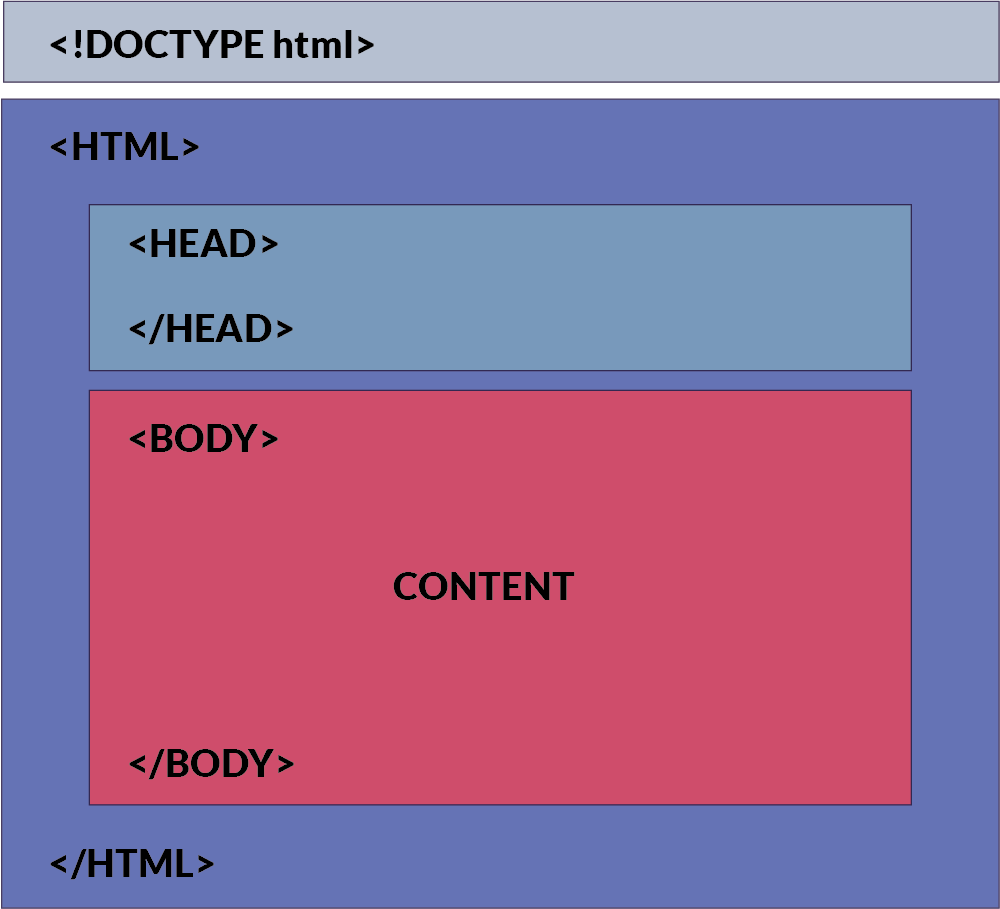
Visualization of an HTML Document
The following image provides a visual representation of the HTML structure:
How This Content Appears in a Web Browser
Consider this HTML code:
<!DOCTYPE html>
<html>
<head>
<title>Document</title>
</head>
<body>
<h1>This is a heading</h1>
<p>This is a paragraph</p>
</body>
</html>
Below is an image showing how this HTML document will be rendered in a web browser:
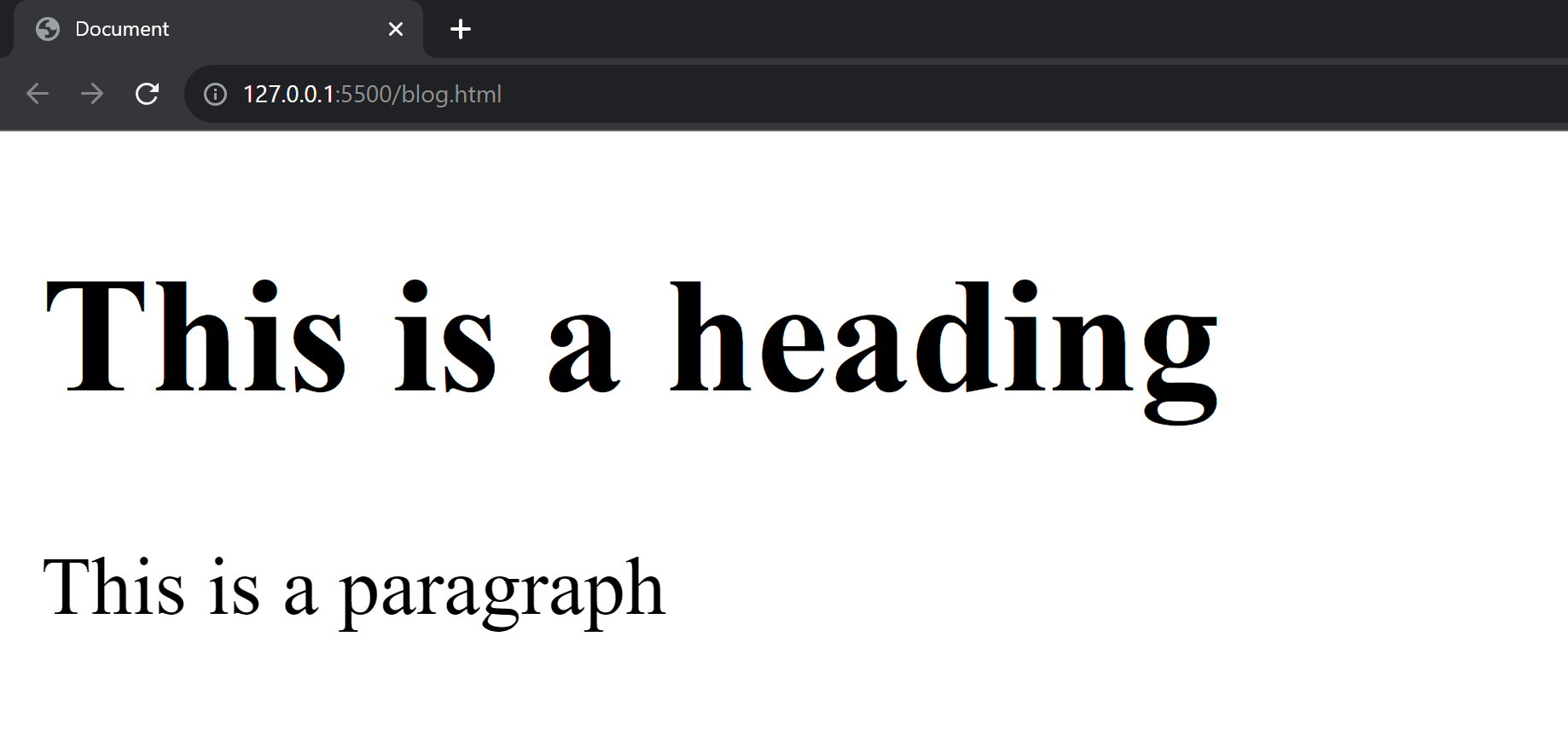
In the browser, the title bar will display the content from the
<head> section, specifically the
<title> tag.
The main area of the browser window will display the content inside the
<body> tag.
In the upcoming sections, we will learn about HTML tags and elements.