Skeletal Tags
Let's discuss some basic HTML tags known as "skeletal tags". These tags provide the foundation of an HTML document and define the basic structure that a browser uses to understand a webpage.
<html> Tag: "Root of an HTML Page"
The <html> tag is the root element that
wraps all the content on the page. It generally contains two main sections:
the <head> and the <body>.
Syntax:
<html>
    <!-- Content -->
</html>
It is common to add a lang attribute to the root element to
specify the language of the document.
<html lang="en">
    ...
</html>
<head> Tag: "Header Part of an HTML Page"
The <head> tag contains metadata and
information about the document. The content placed here is generally not
displayed as normal page content.
Syntax:
<head>
    <!-- Header Content -->
</head>
The <head> section can contain elements such as
<meta>, <title>,
<link>, and <style>.
<title> Tag: "Title Part of an HTML Page"
The <title> tag defines the title of
the document, which is displayed in the browser tab.
Syntax:
<title>Title Name</title>The title is not rendered as a heading inside the webpage itself. It identifies the document in the browser interface and provides useful information about the page.
<body> Tag: "Body Part of an HTML Page"
The <body> tag encloses the main
content of the page. Headings, paragraphs, links, images, lists, forms,
and other visible content normally belong inside the body.
Syntax:
<body>
    <!-- Body Content -->
</body>
Putting the Skeletal Tags Together
These elements work together to form the basic structure of an HTML document. A simple webpage can look like this:
<!DOCTYPE html>
<html lang="en">

<head>
    <meta charset="UTF-8">
    <title>My First Web Page</title>
</head>

<body>
    <h1>Hello, World!</h1>
    <p>This is my first webpage.</p>
</body>

</html>
The <!DOCTYPE html> declaration tells the browser that
the document is using modern HTML. It is not an HTML element, but it is
normally placed at the very beginning of the document.
How the Structure Works
<html>: Contains the entire HTML document.<head>: Contains metadata and document information.<title>: Sets the title shown in the browser tab.<body>: Contains the visible content of the webpage.
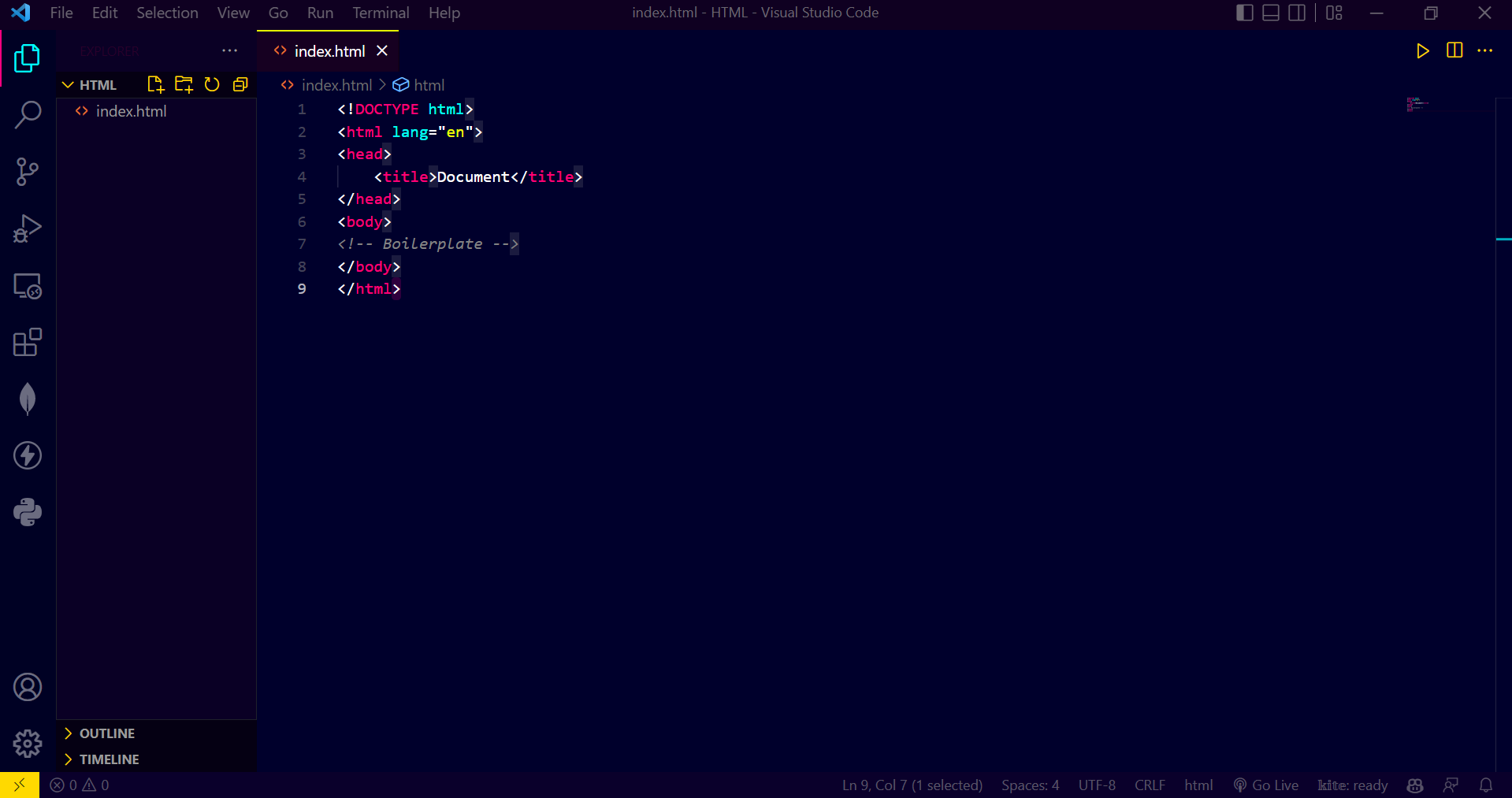
Visual Overview
The image below shows the skeletal tags and essential tags needed to define the basic structure of a webpage:
Quick Summary
<html>is the root element of an HTML document.<head>stores metadata and document information.<title>defines the title shown in the browser tab.<body>contains the visible content of the webpage.- Together, these tags form the basic skeleton on which an HTML page is built.